Payment Methods
Stripe's payment methods, in one app
Cards, wallets, buy now pay later and regional methods. Any supported method you turn on in Stripe shows up in the app.CardsApple PayGoogle PayLinkand many more
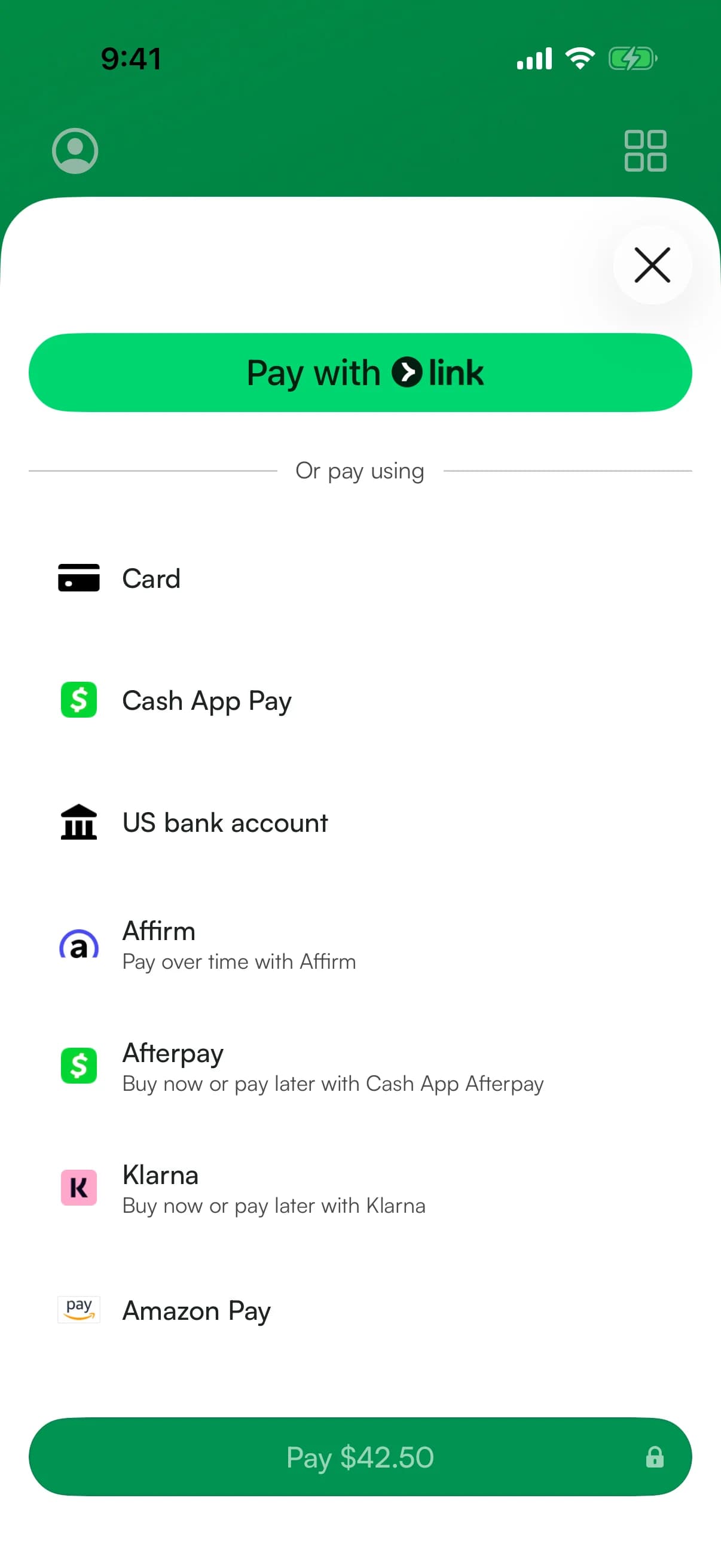
Any supported method you turn on in Stripe shows up in the app.
CardsApple PayGoogle PayLinkand many more
Powered by Stripe PaymentSheet
We use PaymentSheet, Stripe's prebuilt checkout for mobile apps. It shows customers the supported payment methods you turn on in Stripe.Cards
Visa, Mastercard, Amex, DiscoverApple Pay
One-tap checkout on iOSGoogle Pay
One-tap checkout on AndroidLink
Stripe's 1-click checkoutAlipay
China's leading walletWeChat Pay
Popular in ChinaCash App Pay
Popular in the USKlarna
Buy now, pay later
How it works
Enable in Stripe. Done.
- 1Enable in Stripe DashboardTurn on payment methods in your Stripe settings. Stripe handles compliance, currency conversion, and regional requirements.
- 2Payment shows them automaticallyPaymentSheet detects your enabled methods and shows them to customers. Supported methods need no app update.
- 3Customers choose their wayShoppers see the payment methods they prefer, increasing conversion and reducing cart abandonment.
FAQ
Payment method questions
Does Stripe take Apple Pay?
Yes. Accept Apple Pay in person with Tap to Pay or any Stripe contactless reader. It processes at the same rate as a regular card payment.
How do I accept Apple Pay?
Open a charge in the app and have your customer hold their iPhone or Apple Watch near your phone (Tap to Pay) or reader. No setup is needed: Apple Pay works wherever contactless works.
Do all iPhones accept Apple Pay?
Paying with Apple Pay works on iPhone 6 and later. Accepting payments with Tap to Pay requires an iPhone XS or later on a recent iOS version.
Works with your Stripe account