Tap to Pay on Android
Tap to Pay on Android for Stripe
Turn your Android into a payment terminal. Customers tap, you get paid. That's it.

$27.50Dumplings × 2
Next
Before you start
What you need
- Device
- NFC-enabled Android
- Operating System
- Android 13+
- App Version
- Payment v8.0+
Payment methods
What you can accept
- Contactless Cards
- Apple Pay
- Google Pay
- Digital Wallets
Get started
How to accept contactless payments on Android
- 1Download Payment for StripeGet the free app from Google Play. No subscription required.
- 2Connect your Stripe accountSign in with your existing Stripe account using secure OAuth. Takes under 30 seconds.
- 3Enable Tap to PayOpen the menu and tap "Enable Tap to Pay".
- 4Accept your first paymentTap "Try it", then have your customer tap their card or phone.
$1.00+ Description
Next
$1.00Payment successfulSend receipt
$0.00+ Description
Next
Searching for readers…
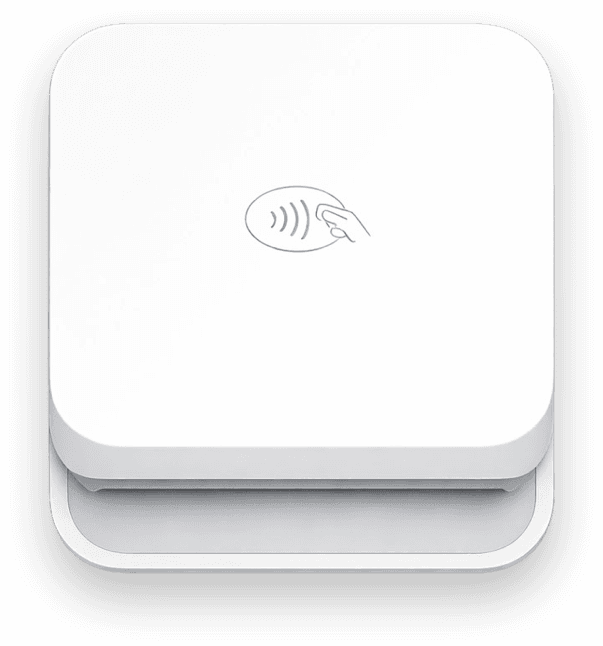
Card readers for Android
No NFC? Pair a Bluetooth reader
Tap to Pay needs an NFC-enabled phone on Android 13 or later. Any other Android phone can run the app with a Bluetooth reader: the Stripe Reader M2 in the US, or the WisePad 3 in most other countries. Both take chip, swipe and tap.- Stripe Reader M2
- US only · $59
- WisePad 3
- Everywhere but US · CA$79
FAQ
Common questions
Do I need a card reader for my Android phone?
No. Any NFC-equipped Android phone accepts contactless cards and digital wallets on its own through Tap to Pay. You only need a Stripe Terminal reader if you also take chip-insert or magstripe cards.
Which Android phones work?
Tap to Pay on Android requires an NFC-enabled device running Android 13 or higher. Most modern smartphones from Google (Pixel), Samsung (Galaxy), and other major manufacturers support this feature. Check your phone's settings to verify NFC capability.
Is it available in my country?
Tap to Pay on Android works in 40 countries, including the US, Canada, the UK, Australia, Japan, Hong Kong, Mexico, and most of Europe. Some countries, including Japan, Hong Kong, and Mexico, are in Stripe's public preview.
What cards are accepted?
Tap to Pay accepts all contactless-enabled Visa, Mastercard, American Express, and Discover cards. It also accepts Apple Pay, Google Pay, Samsung Pay, and other NFC-enabled digital wallets.
Do I need an internet connection?
Yes, Tap to Pay requires an active internet connection (WiFi or cellular data) to process payments. Unlike Bluetooth card readers, it cannot store transactions offline.
What are Stripe Tap to Pay fees?
In the US, Stripe charges 2.7% + 5¢ per in-person transaction, plus 10¢ per Tap to Pay authorization. Payment for Stripe adds 1.2% per sale (15¢ minimum), with no monthly fees.
Is there a free tap to pay app?
Yes. Payment for Stripe is free to download on iOS and Android, with no monthly fees, no contracts, and no monthly minimums. You pay 1.2% per sale (15¢ minimum) plus Stripe's processing fees, only when you get paid.
Is there a free mobile credit card reader?
Yes, if your Android phone has NFC. Tap to Pay turns the phone into the reader, so there is no hardware to buy. Payment for Stripe is free to download with no monthly fee. You pay Stripe's processing rate plus 1.2% per sale (15¢ minimum).
Can I accept tap to pay without NFC?
No. Tap to Pay reads contactless cards through your phone's NFC chip. On a phone without NFC, type the card in with manual entry or pair a Bluetooth reader like the Stripe Reader M2.
Works with your Stripe account